


Are you trying to swap face in your image or video? Is the technical jargon of face swap giving a headache? Good news! AI is doing wonders and making face-swapping easier than ever before. The AI software that helps effectively change faces uses extensive data and trials. This training helps provide quality results to users. For example, face swap AI in FaceMod allows you to add a new face to images and videos.
AI is revolutionizing the face swap facility, making it available to even the novice. It removes the boundaries of limited access and boosts creativity for marketers, social media users, and personal use. Today, we will show you how to change your images and videos using FaceMod, which is an AI-powered tool.

Part 1: Everything you need to know about face swap
Part 2: Tips to find a reliable AI face swap online tool
Part 3: Best face swap online tool- FaceMod
Part 4: Steps to use the best face swap online tool to face swap video & photo
Part 1: Everything You Need to Know About Face Swap
Face Swap is a way to add a new face to an image or video using AI. Now, anyone can achieve this using AI tools that are trained with real faces to produce high-quality results. Before AI, graphic designers used to do this, which took effort, time, and money. Face Swap allows you to change a face in an existing photo in a few easy steps. Using face swap AI tool you can swap your face with anyone for fun, even celebrity.
It is easy to change your face in a family photo from dull to bright and smiling. This software makes it easy to change multiple faces in a group photo and preserve a happy memory. These tools allow you to change multiple faces from the comfort of your home and achieve professional results using the AI power face swap.
Part 2: Tips to Find A Reliable Al-Powered Face Swap Online Tool
Face swap using AI is very accessible, seems very tempting to use, and sparks your creativity. There are many brands and software claiming to be the best platforms for face swapping. However, it is important to understand that the online world may pose some underlying threats to which you must be aware. Consider these before you start using an AI-Power Face Swap tool. Let’s understand what these are:
Check safety features
Ensure you read and understand the terms and conditions of the online face swap tools. The platform should be very clear about its security and data handling practices. This transparency ensures that your data is safe and you can use the platform without fear.
It is a good idea to use an antivirus in you device, as these are helpful in protecting you against data breaches. Moreover, if the website contains heavy cookies, it may make your device sluggish and pose a risk of virus infection.
Look for reviews on Google
User reviews can be a very trusting way to check the authenticity of the software. If the ratings are high and people are saying they have positive experiences, then it is a good tool. Choose the platforms with the highest ratings, features, and user satisfaction.
Find if it has a learning curve or not
Many Face Swap platforms require technical knowledge of complex softwares. Consider how many steps it requires to download the end result from face swap images and videos. If a newbie with no technical knowledge can use it, then it is a good platform. Finding a platform that is easy to use and beginner-friendly is very helpful.
Go for free trials
Free demos or trials clearly show the services and features available for face swapping. Look for the application that allows a free trial of the services. This gives you an idea of the available features and how to use the services. This can be a wonderful way to select the best face swap application.
Available features
Some platforms also allow you to choose from available templates and styles. It is easy to change the background of the image using AI features. These features can be very helpful in unleashing your creativity and providing the best professional-quality photos.
There is no need to download an application as you can use them directly on the website. This is accessible on phones and your laptops so use it any time and on any device. For example, the FaceMode tool allows you to share your results directly on your social media, without any downloads. This saves you time and effort during rush hour.
High-quality output
If the face swap photo turns out to be very blurry and rough on the edges, the platform is not efficient. Try to find a platform that produces professional results without any low-quality effects. The edges should look clean, and the new face swap image should look natural and authentic.
Part 3: Best Face Swap Online Tool- FaceMod
FaceMod is a very efficient platform for swapping faces in images and videos. This versatile software can be used to swap multiple faces in a single image. There is no worry about your safety and you dont have to wait for long to get desired results. The quick interface allows you to get high-quality results within minutes.
If you are a social media enthusiast and want to grow your following, you can create personalized memes using the FaceMod tool. Sharing them directy to you social media platforms can save your time and effort, making the face swapping experience very easy.
Creating a beautiful professional portrait is child play with FaceMod. You just need to upload the picture that you like the most and create a perfect portrait using face swap. Additionally, using a celebrity face swap can help you stand out in the internet world.
Multiple face swap features make it easy to create many funny memes. Use face swap on your group image to create a fun image. Moreover, the high-quality AI power assures a hyper-realistic face-swapping experience. You can also use FaceMod to test the accuracy of a technology like face recognition softwares. It is accessible on phones and laptops so, you can use them anywhere you like.
Key features
FaceMod offers many amazing and latest features. Some of them are as follows:
- Face Swap video
FaceMod allows you to face-swap videos and use many readily available templates. You can swap it with a celebrity face feature or even do a gender face swap.
- Trendy effects
It is so much fun to use many trendy features, such as glam makeup, social media trends, street snaps, background effects and more. Try these in variations and make your video stand out by adding unique features. These preset video templates are a quick and easy solution to add uniqueness to your face swapping experience.
Now, you can use the AI anime feature and swap your images using your favourite characters. Choose from your favourite templates, such as illustrations, Pixar art, superheroes, realistic Thunderstruck, and more. Many anime lovers enjoy this feature as it unleashes a new world of creativity and designs.
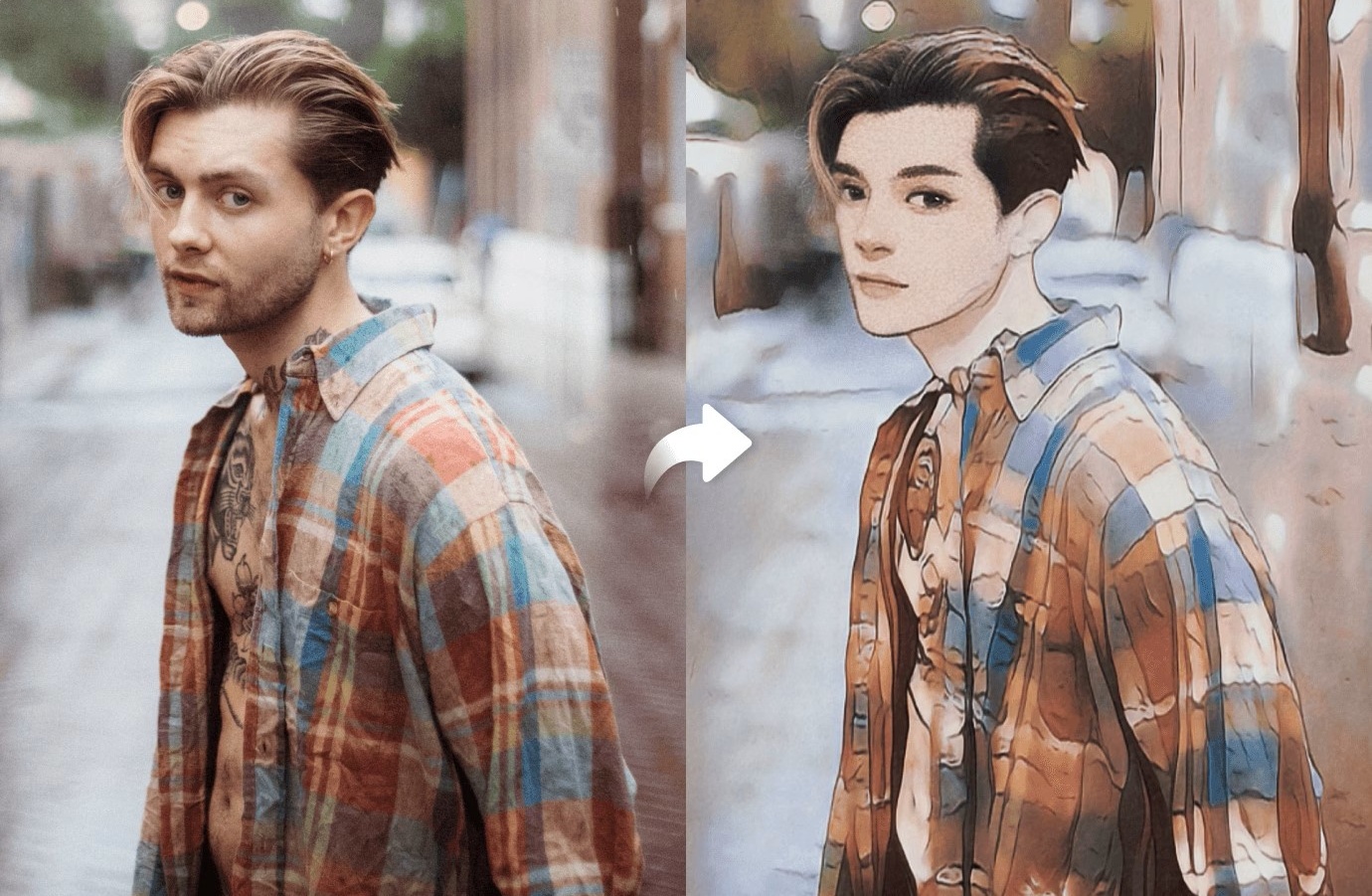
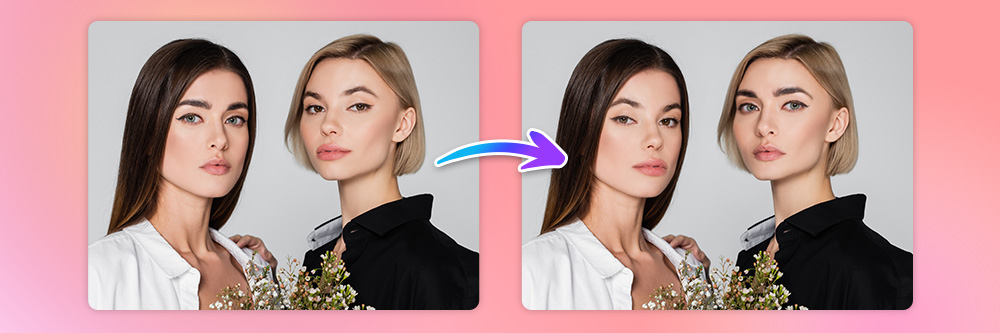
Using the AI portrait feature of the FaceMod, you can convert normal faces into attractive portraits. It offers the sophistication of an expert and smooths your skin to make the end results look very high-quality.
Part 4: Steps to Use the Best Face Swap Online Tool to Face Swap Video & Photo
- Use FaceMod to Face Swap for Videos
It is very easy to make a face-swap video using the FaceMod tool. Below are the steps that you can follow:
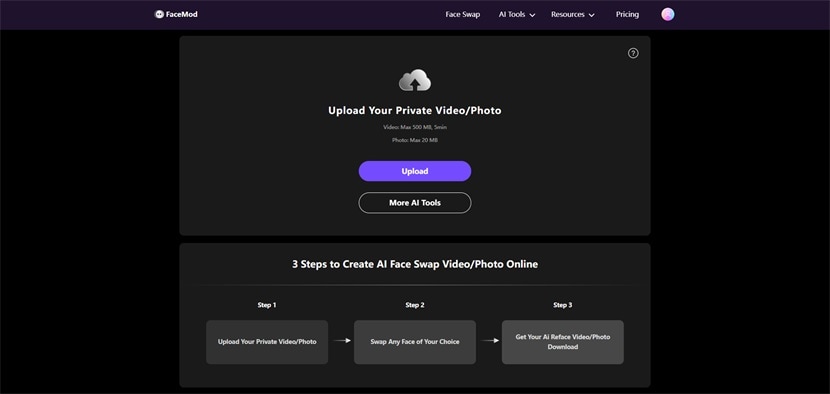
Step 1: Upload Your Video
The FaceMod tool allows you to use the feature after you sign in with you email. After sign in go to Face swapping feature. On the FaceMod website’s main page, you will find a “Get Started Now” button. When you press it, you can upload your private videos to swap face. Once you are done, click the “Next” button.
Step 2: Choose face to swap
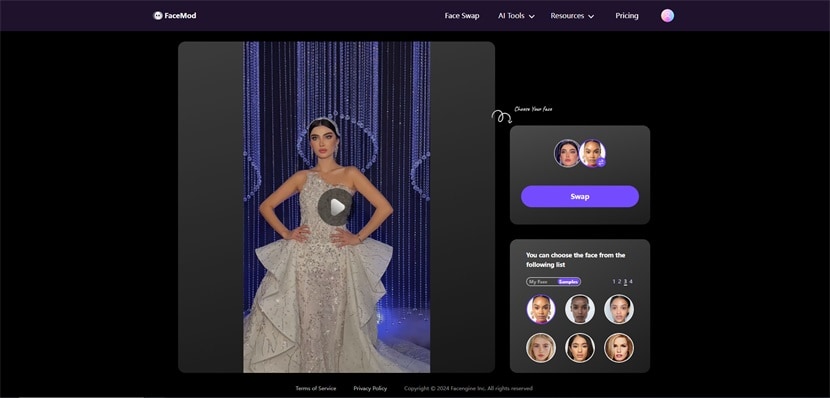
Select the face you wish to swap in the video by uploading or from available AI recommendations. The bottom-right section of the window allows you to find the right face to swap from available samples. You can also add your own face from my face section if you like. Click the “Swap” button to perform the process.
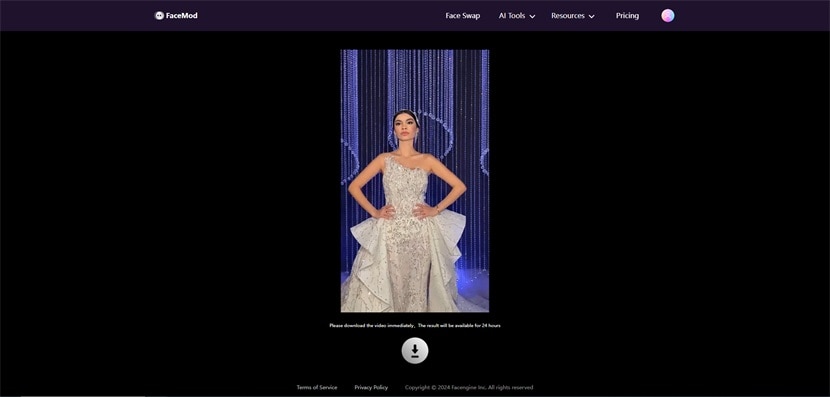
Step 3: Download swapped video
Once the swapping is complete, a new window will appear on your screen. Click on the download button to save the final results on your device.
- Use FaceMod to Face Swap for Photos
It is very easy to make face-swap photo using the FaceMod tool. Below are the steps that you can follow:
Step 1: Upload your photo
On the FaceMod website’s main page, you will find a “Get Started Now” button. When you press it, you can upload your images and photos. Once you are done, click the “Next” button.

Step 2: Select a face to swap
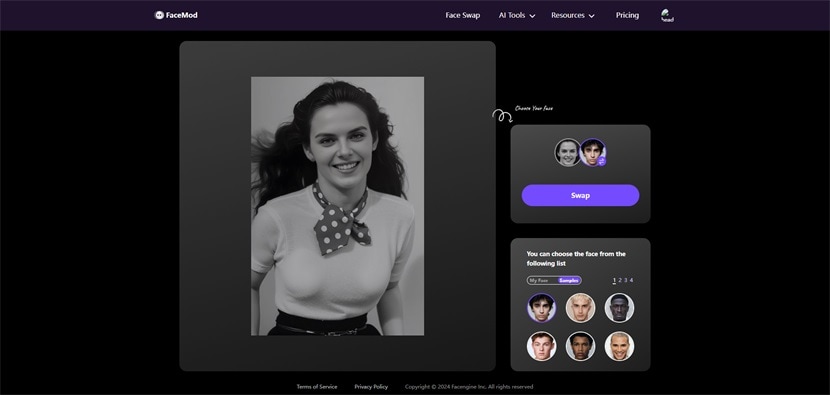
Under the “My Face” option, you will find the “Add Face” option. Simply select a face from the AI suggestion or upload one from your device.
Step 3: Download the swapped face photo
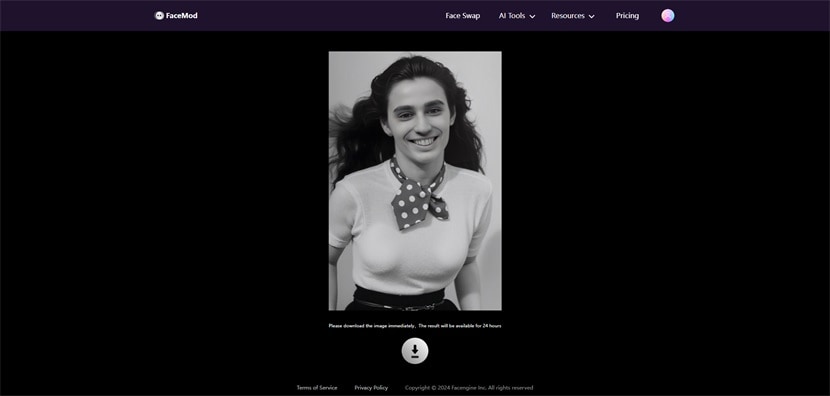
Once done, select the “Swap” button and wait for the results. You can now download this image to your device.
Conclusion
In conclusion, you can create amazing face swap images and videos using AI. This can save valuable time, cost, and effort. The best feature is the ease it provides to everyone. You can unleash your creativity using AI face swap. So what are you waiting for? Try the AI power face swap today!
Post published in: Business